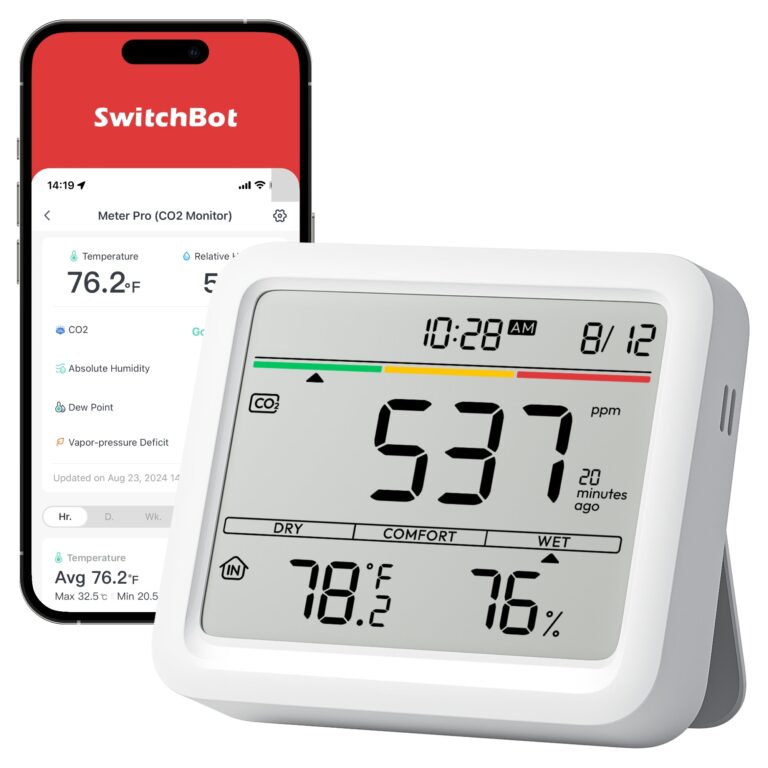
SwitchBot Meter Pro (CO2 Monitor)
Use a CO2 reading as a prompt to think about ventilation.
Source-based assessment
- Main advantage
- Use a CO2 reading as a prompt to think about ventilation.
- Main drawback
- Choose the actual CO2 version, check calibration and note that this is not a carbon-monoxide alarm.
Our take
Use a CO2 reading as a prompt to think about ventilation. The useful question is whether this removes a repeated inconvenience in your own routine. Choose the actual CO2 version, check calibration and note that this is not a carbon-monoxide alarm.
Worth a closer look when that particular job matters to you. If your existing equipment already handles it comfortably, the additional features alone may not justify replacing it.
The selected model
- Meter Pro CO2 version
- CO2, temperature and humidity readings
- Battery or USB-C power
These are manufacturer-listed or model-identifying details, not Buy If Works measurements. Regional packages and supported functions can differ.
What everyday use involves
Start by checking the mechanism or surface the device will work with. Fit and calibration matter more than the number of automations in an app. Keep ordinary manual control available, and test the setup under the conditions you will actually use. A hub, network or additional accessory may be necessary for some advertised functions.
The catch
Choose the actual CO2 version, check calibration and note that this is not a carbon-monoxide alarm.
Read the exact installation and operating instructions before choosing. Consider the least convenient part of the routine, not only the demonstration that first made the product interesting.
Ownership costs and care
Possible extra costs include hubs, mounting parts and batteries. Verify which functions work locally and what depends on an internet connection.
We do not claim a current lowest price or an annual ownership cost. Compare purchase price, essential extras, ongoing supplies and local warranty handling together.
Before you order
- Confirm the exact model and included accessories.
- Check local electrical, mechanical and software compatibility.
- Check delivery, taxes, returns and warranty support in your country.
- Read current manufacturer support notices and the relevant operating instructions.
Evidence and sources
This is a conditional, source-based buying assessment. We have not conducted a hands-on test, a controlled comparison or a long-term reliability study. The intended use and limitations above are editorial reasoning from the identified model and its source information. Brand reputation and manufacturer claims do not establish real-world performance on their own.
Manufacturer information for the selected model ↗
External review for additional context ↗
External tests belong to their authors. Check the reviewed generation and test conditions before applying the result to the version offered by a seller.